




































































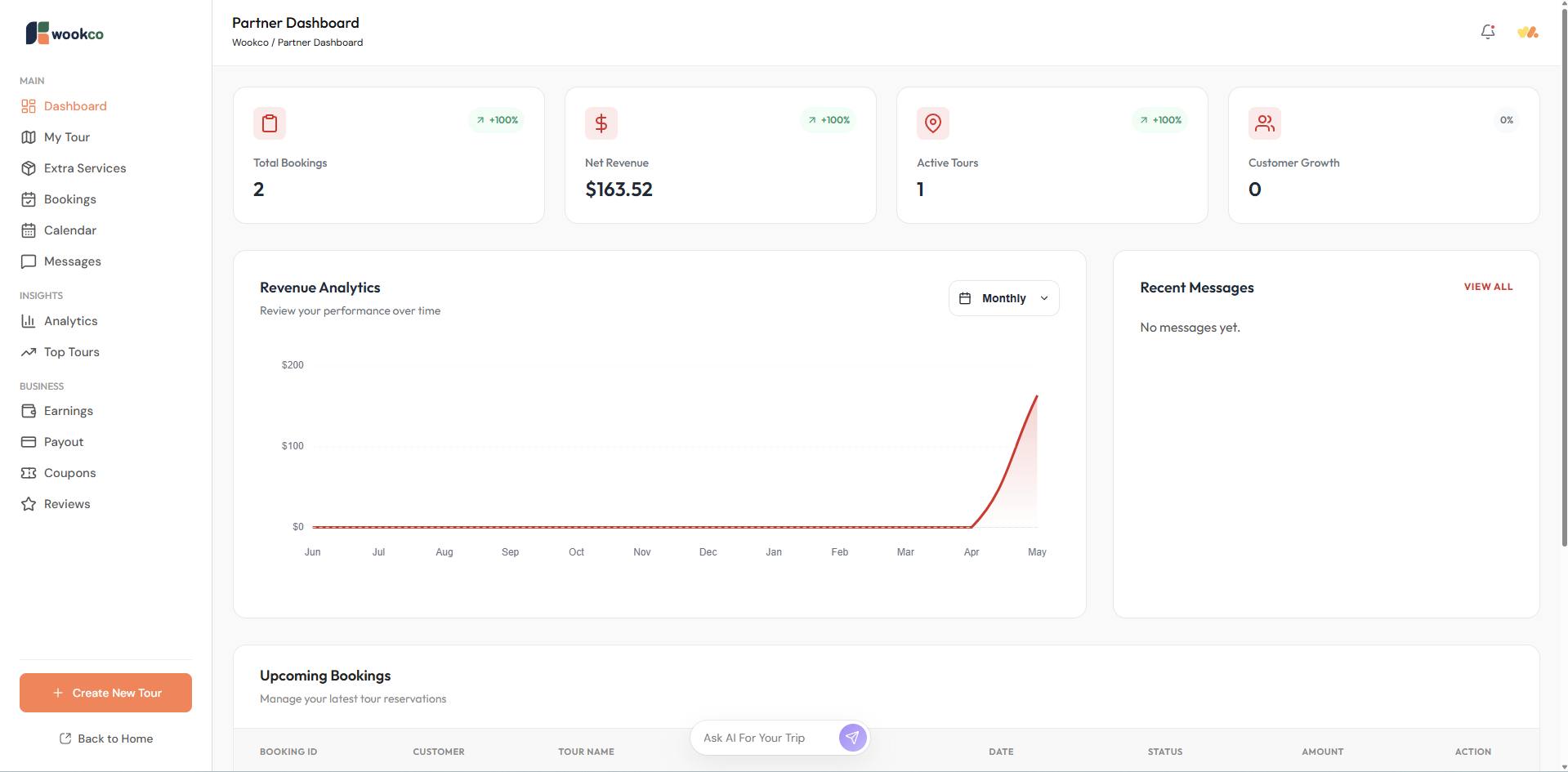
When partners log in to the platform, they will be immediately directed to the dashboard.
The dashboard will display an overview of the products listed by the partner, total bookings, total revenue, active products, a graph showing booking trends, and upcoming services.
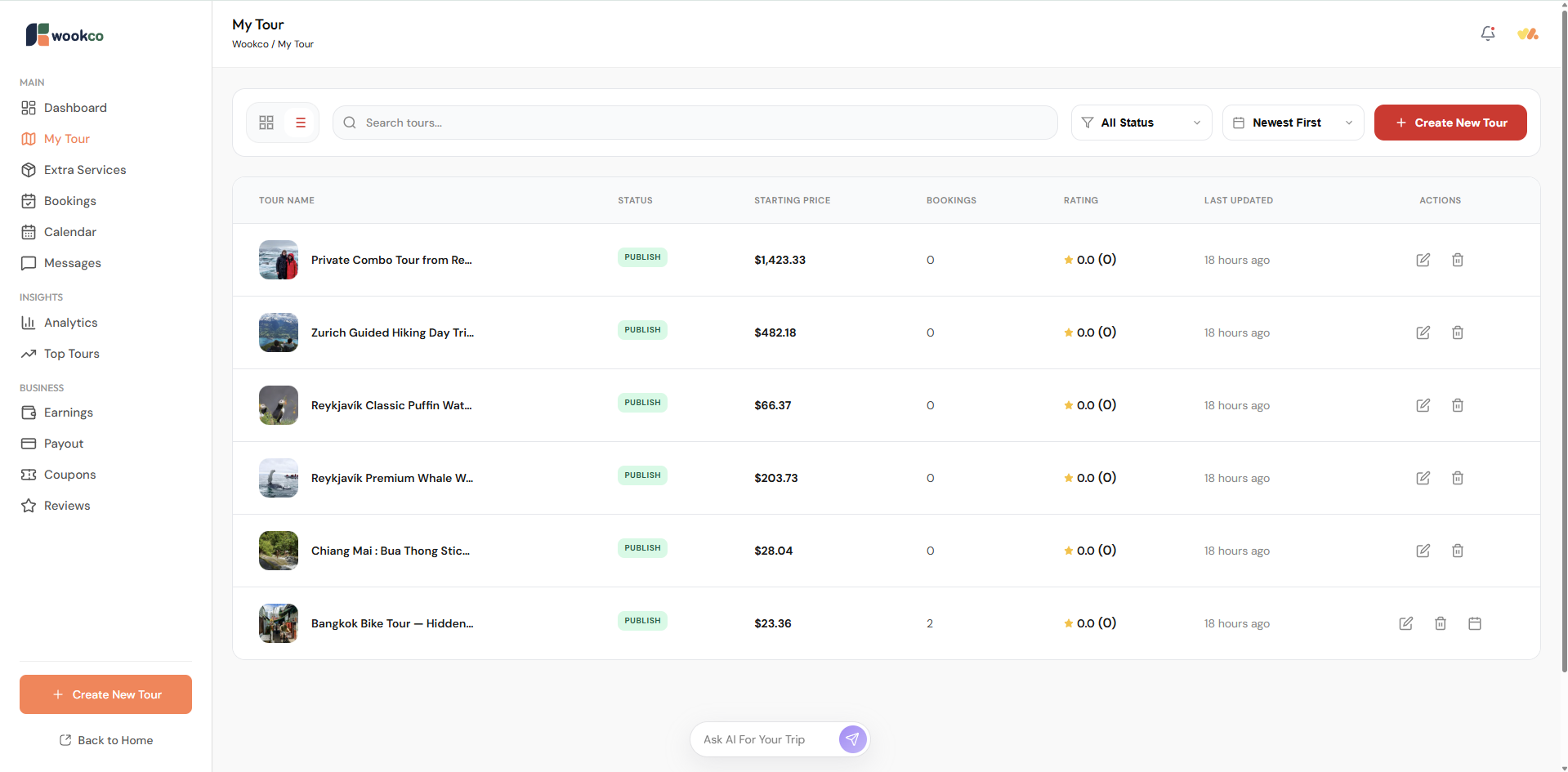
The My Tour page displays all the tour products, activities, or travel services that partners have listed. Partners can add new tours or edit tour information. This page also shows the status of each product, indicating whether it has been booked or not.
Extra Services: On this page, partners can add additional services they offer, such as transportation services, photography services, or any other supplementary services.
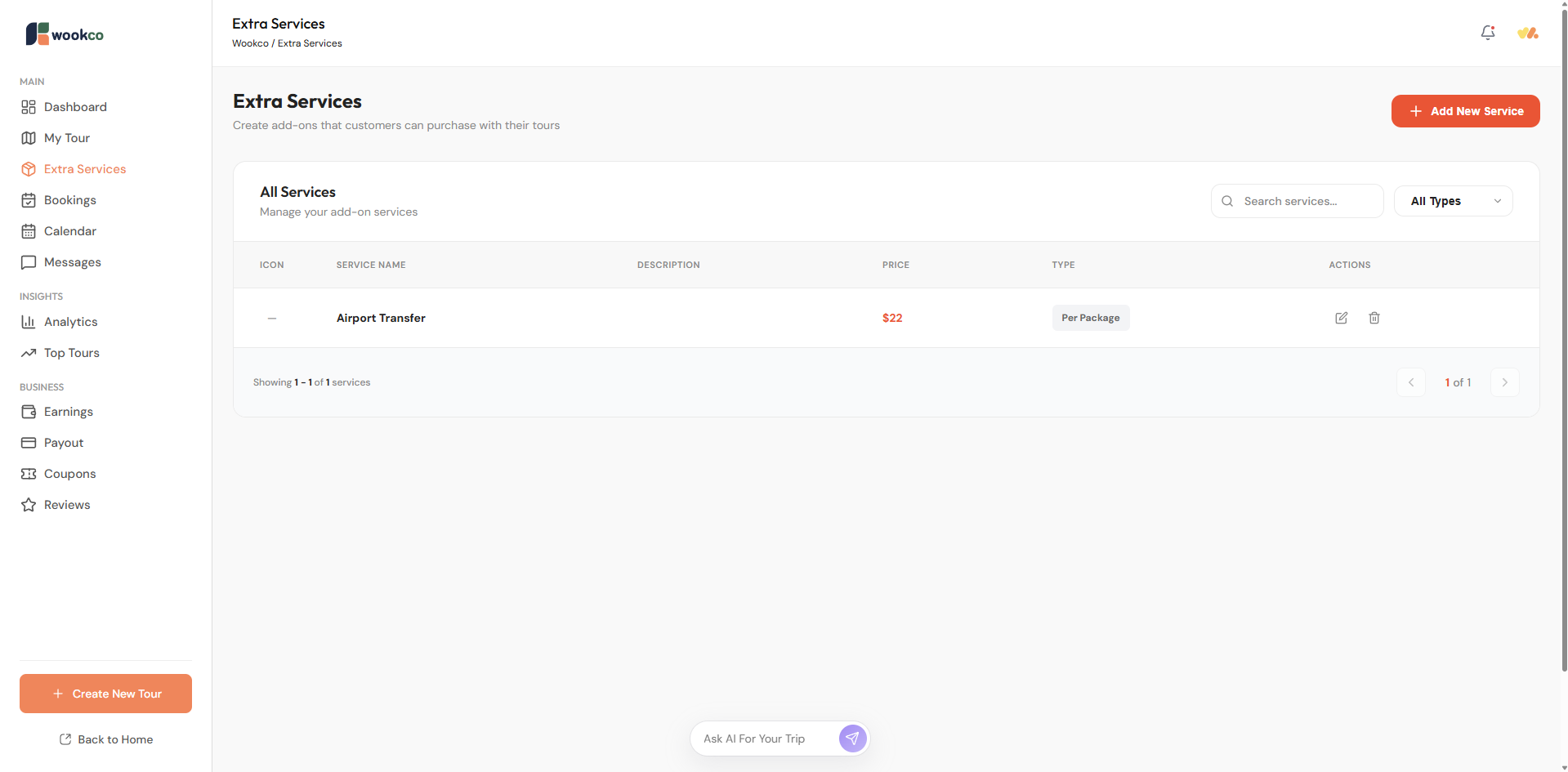
Create Extra Service

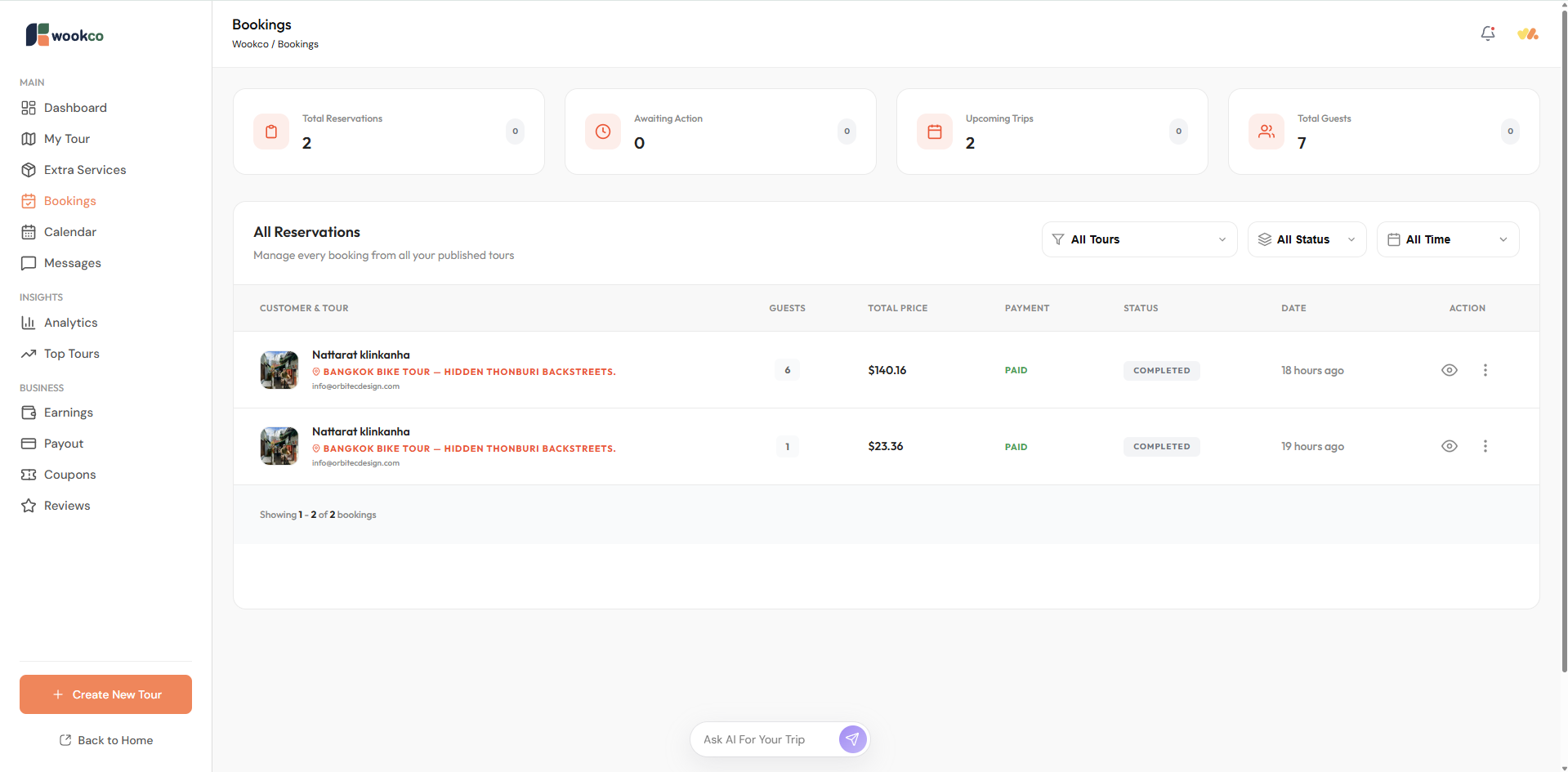
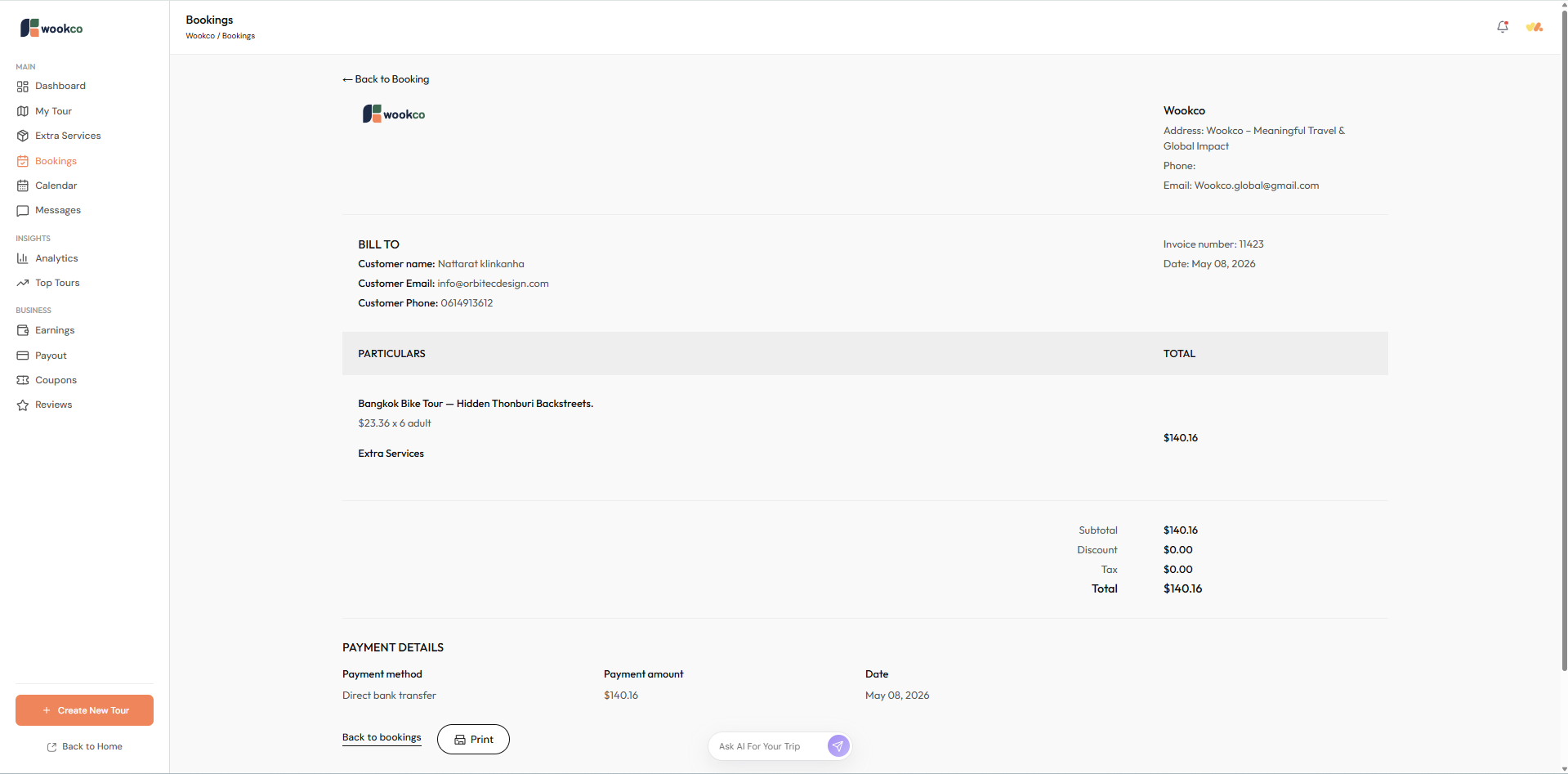
Bookings: will display a list of booked products, including their payment status. If the status is still Pending, partners can cancel the booked tour. If the system has changed the status to Paid, cancellation is not possible. If partners need to cancel a tour or reschedule a product, please contact customer service as soon as possible at Support@wookco.com
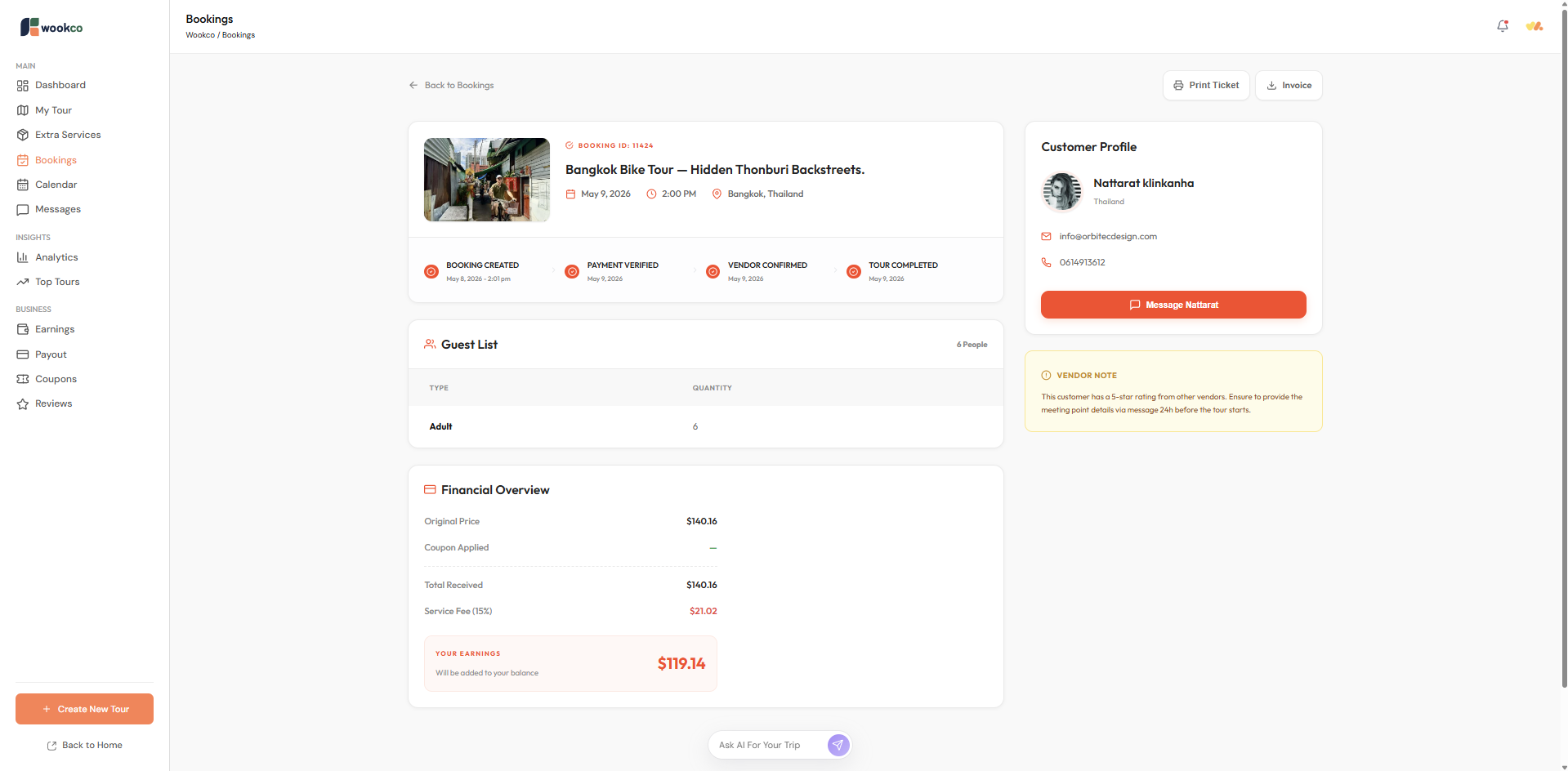
When partners click “View Booking” in the booking list, the Action tab will take them to the booking details section. This will display the customer profile, booking status, payment details, Guest List, and Financial Overview. For the Financial Overview, Wookco sets a commission rate of 15%.
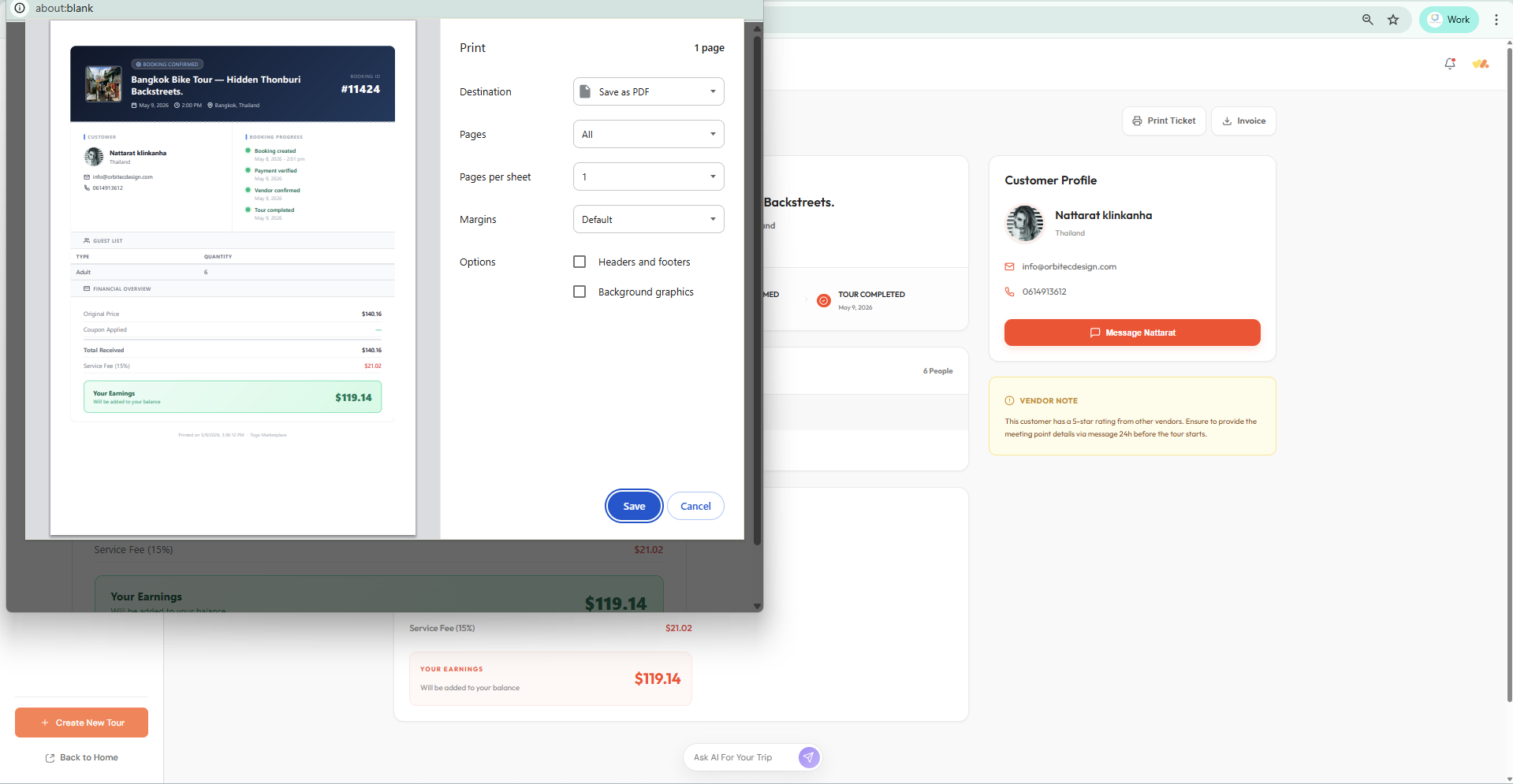
Partners can also print tickets or invoices.
When partners log in to the platform, they will be immediately directed to the dashboard.
The dashboard will display an overview of the products listed by the partner, total bookings, total revenue, active products, a graph showing booking trends, and upcoming services.
The My Tour page displays all the tour products, activities, or travel services that partners have listed. Partners can add new tours or edit tour information. This page also shows the status of each product, indicating whether it has been booked or not.
Extra Services: On this page, partners can add additional services they offer, such as transportation services, photography services, or any other supplementary services.
Create Extra Service
Bookings: will display a list of booked products, including their payment status. If the status is still Pending, partners can cancel the booked tour. If the system has changed the status to Paid, cancellation is not possible. If partners need to cancel a tour or reschedule a product, please contact customer service as soon as possible at Support@wookco.com
When partners click “View Booking” in the booking list, the Action tab will take them to the booking details section. This will display the customer profile, booking status, payment details, Guest List, and Financial Overview. For the Financial Overview, Wookco sets a commission rate of 15%.
Partners can also print tickets or invoices.
When partners log in to the platform, they will be immediately directed to the dashboard.
The dashboard will display an overview of the products listed by the partner, total bookings, total revenue, active products, a graph showing booking trends, and upcoming services.
The My Tour page displays all the tour products, activities, or travel services that partners have listed. Partners can add new tours or edit tour information. This page also shows the status of each product, indicating whether it has been booked or not.
Extra Services: On this page, partners can add additional services they offer, such as transportation services, photography services, or any other supplementary services.
Create Extra Service
Bookings: will display a list of booked products, including their payment status. If the status is still Pending, partners can cancel the booked tour. If the system has changed the status to Paid, cancellation is not possible. If partners need to cancel a tour or reschedule a product, please contact customer service as soon as possible at Support@wookco.com
When partners click “View Booking” in the booking list, the Action tab will take them to the booking details section. This will display the customer profile, booking status, payment details, Guest List, and Financial Overview. For the Financial Overview, Wookco sets a commission rate of 15%.
Partners can also print tickets or invoices.
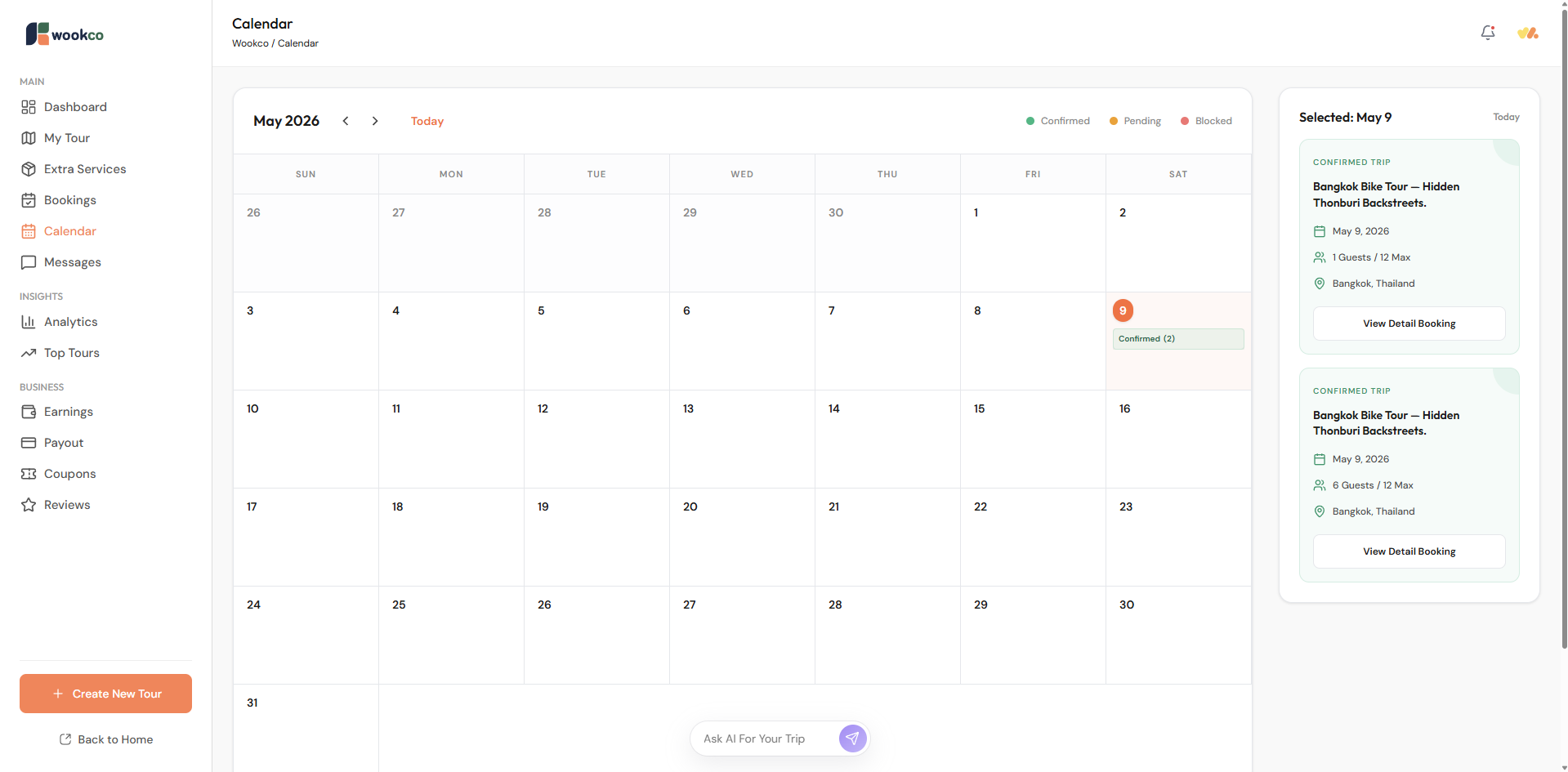
The calendar: will display the incoming booking schedule. Partners can check the details of each booking.
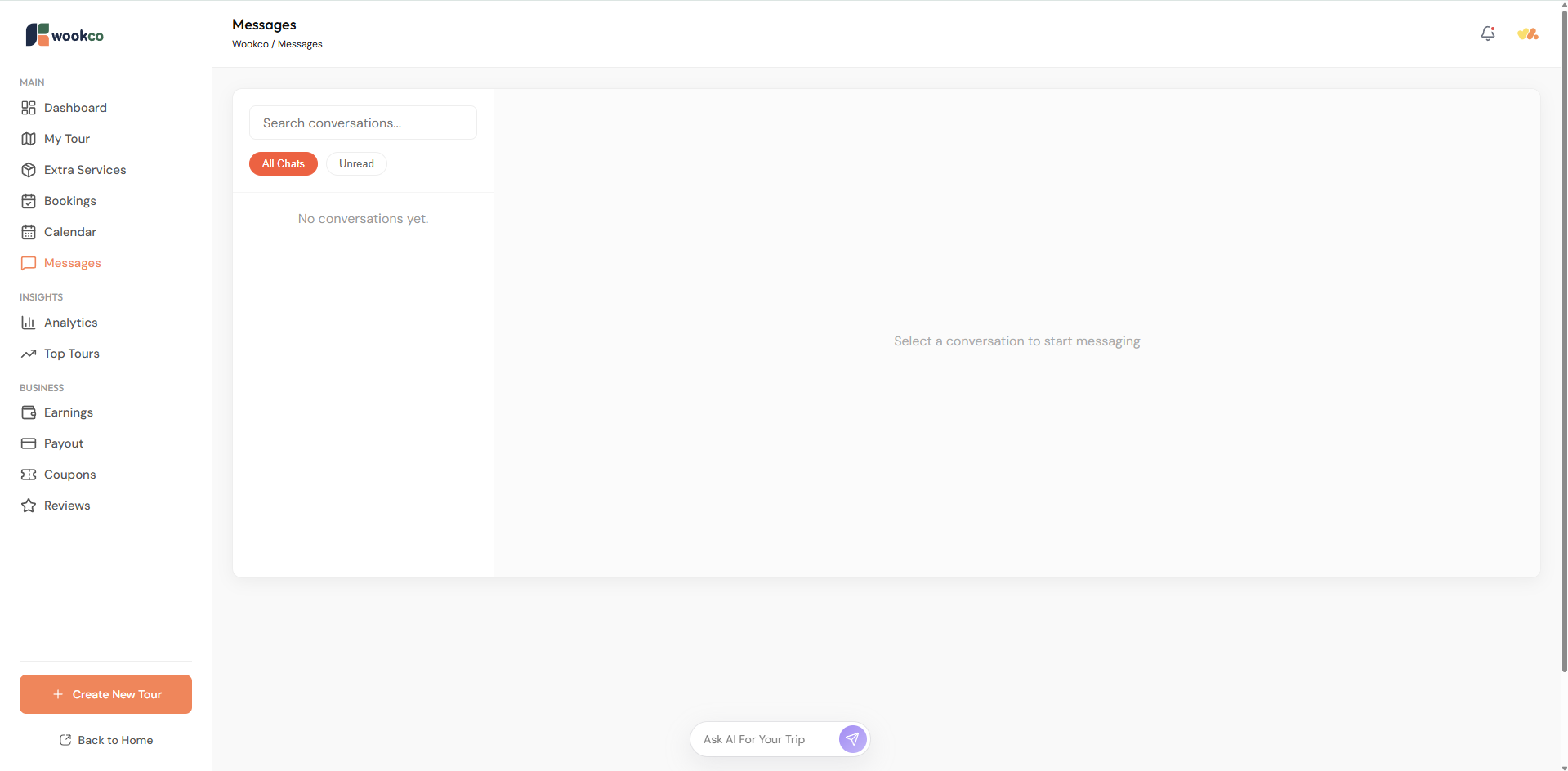
Messages: will display a list of the messages that customers have sent via chat.
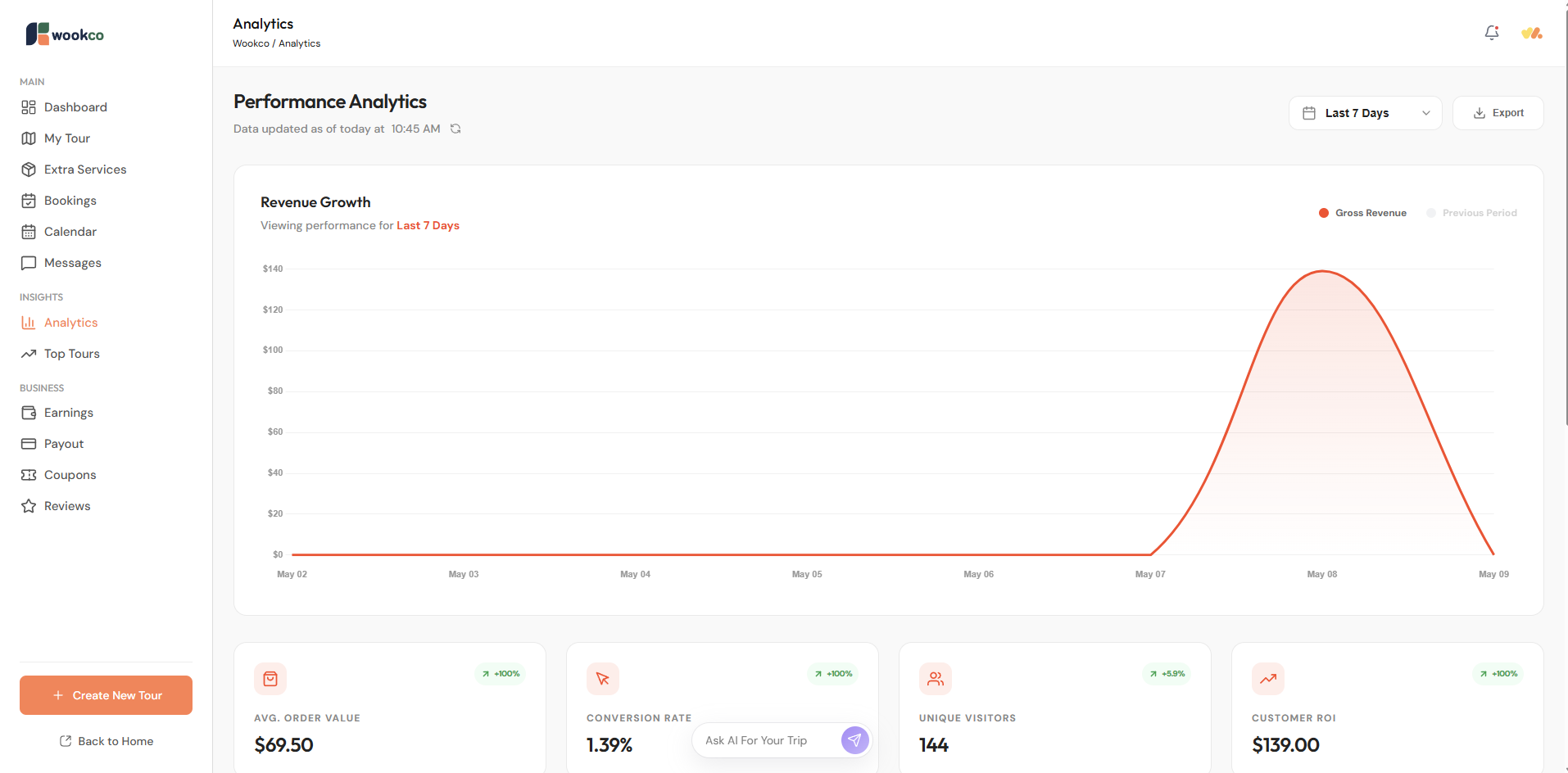
Analytics: will provide insights into booking trends, tour clicks, and customer visits on the platform.
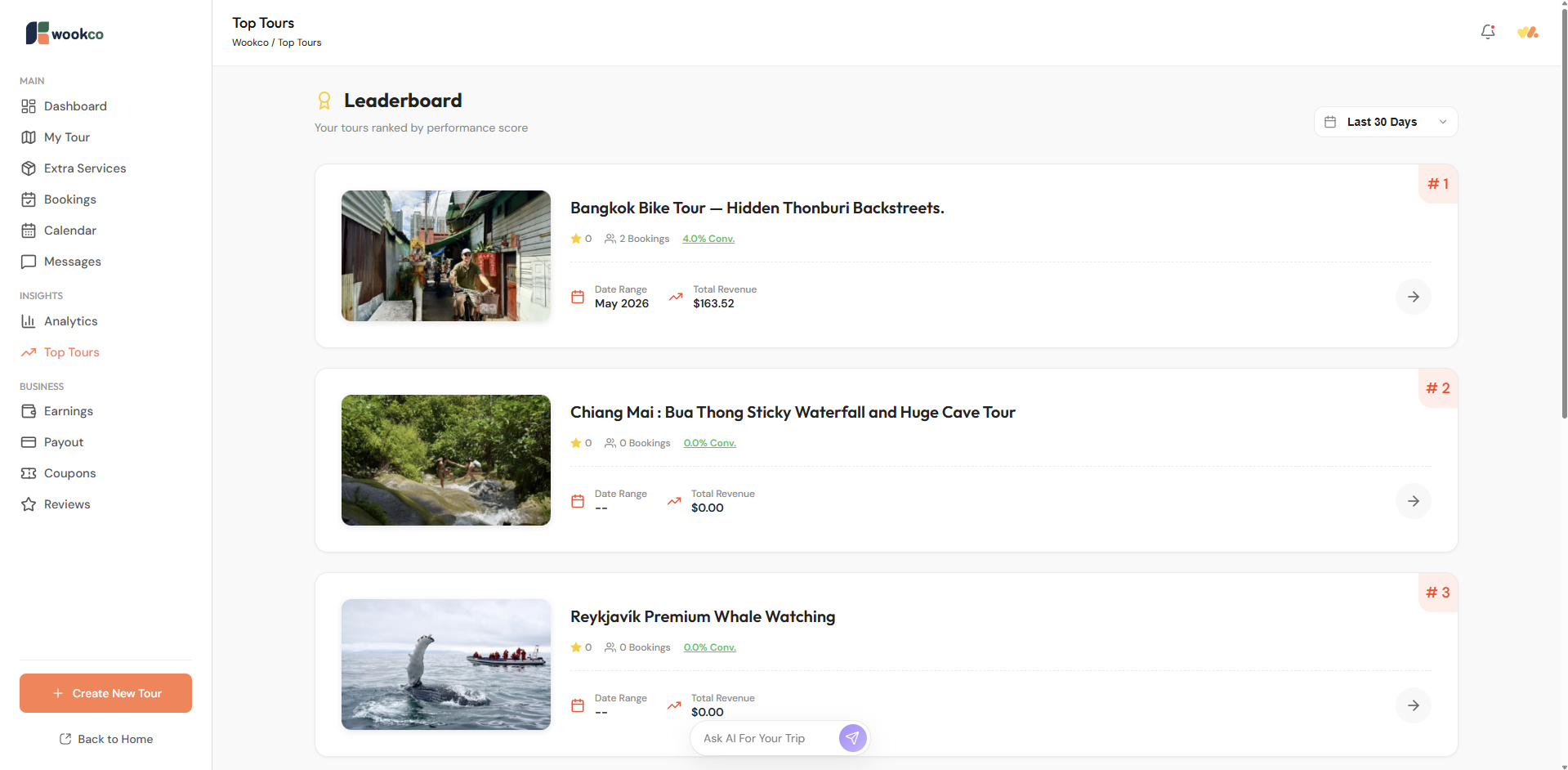
Top Tours: page displays the most popular tours, activities, or travel-related services based on bookings.
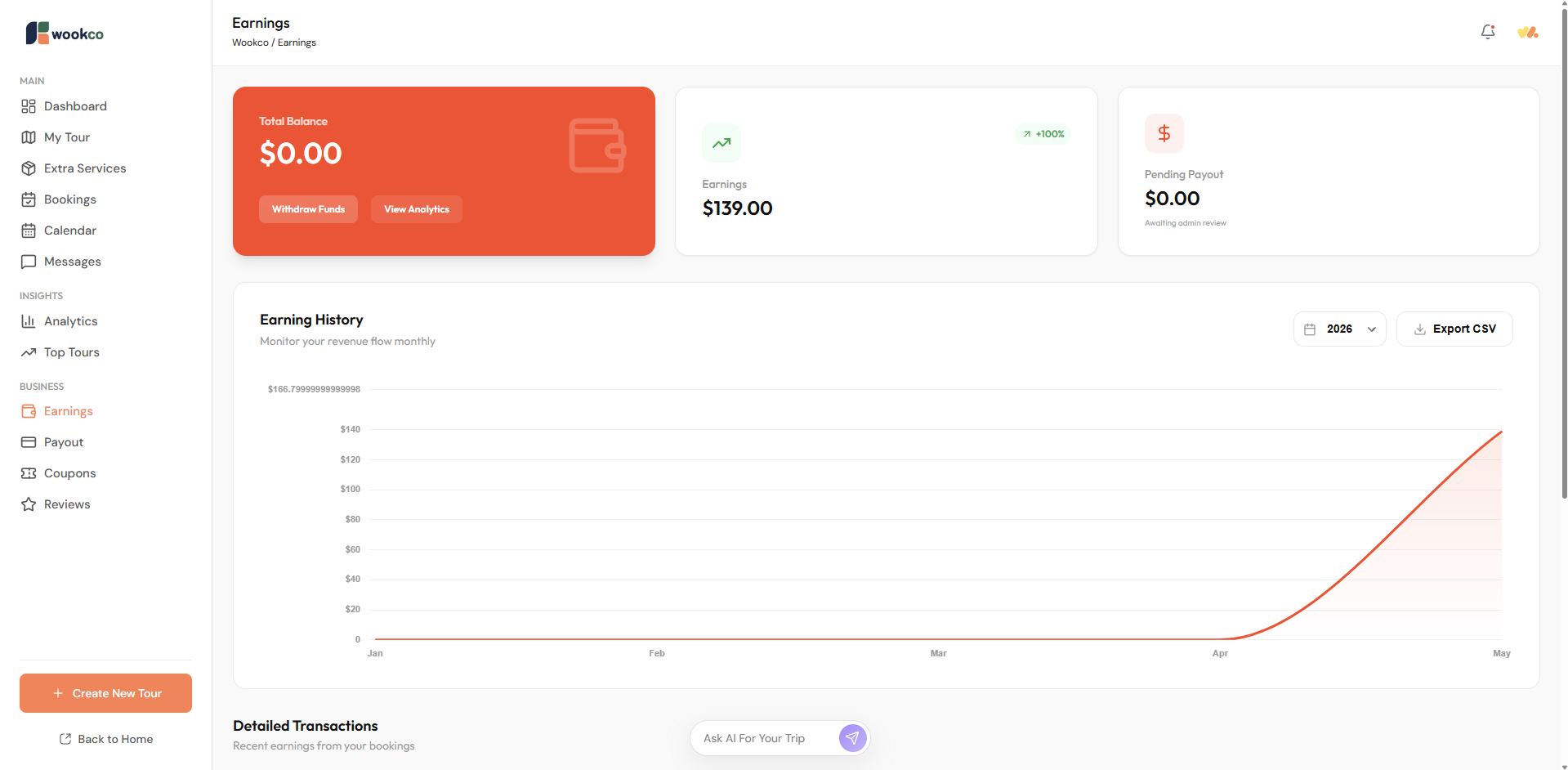
Earnings: displays an overview of booking revenue, including the Total Balance still in the partner system. Partners can also download their past earnings history.
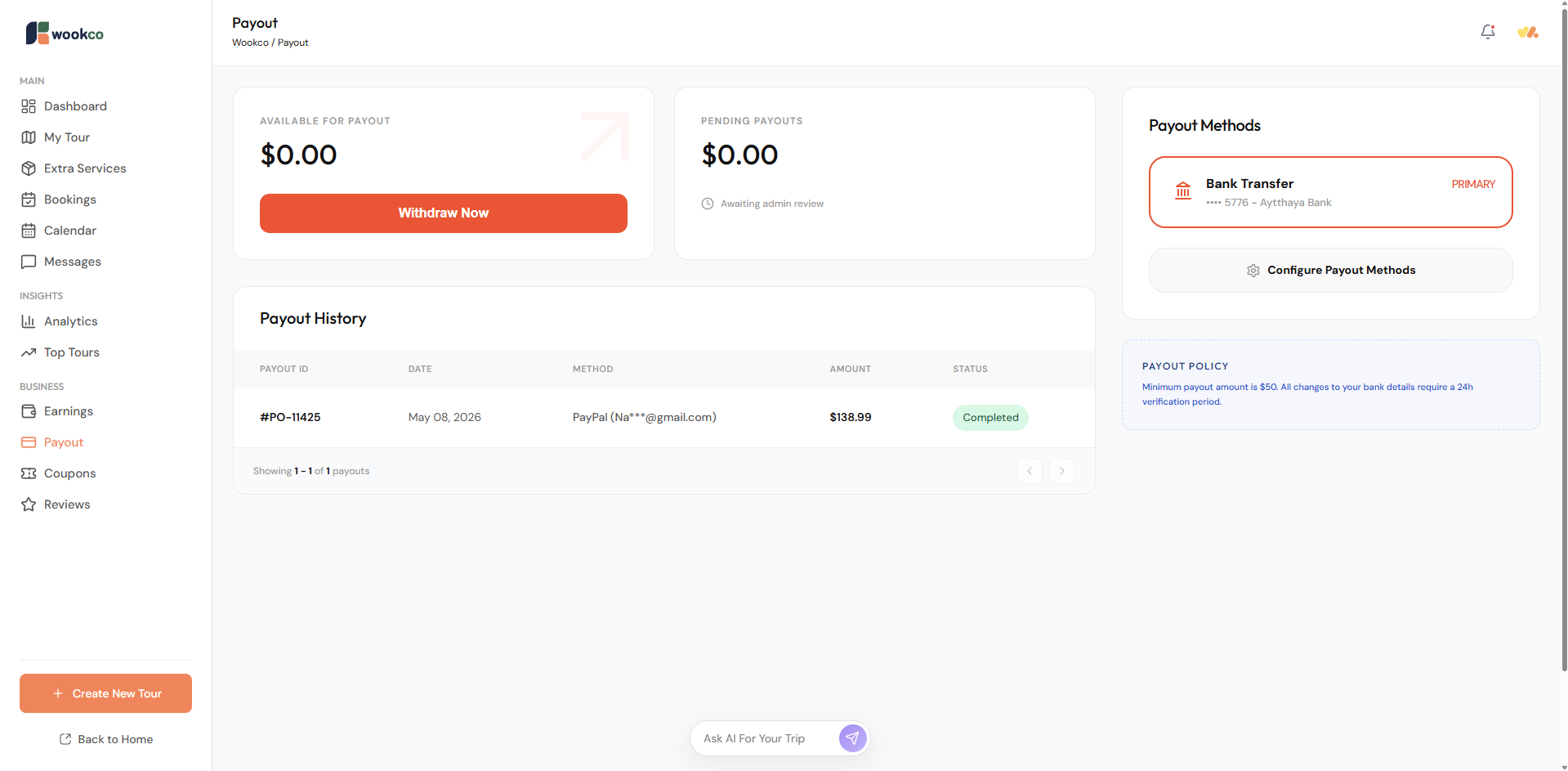
Payout: page displays partner payment history. If a partner has a remaining balance in the system, they can withdraw funds. *Note: The minimum withdrawal amount is set at $50.
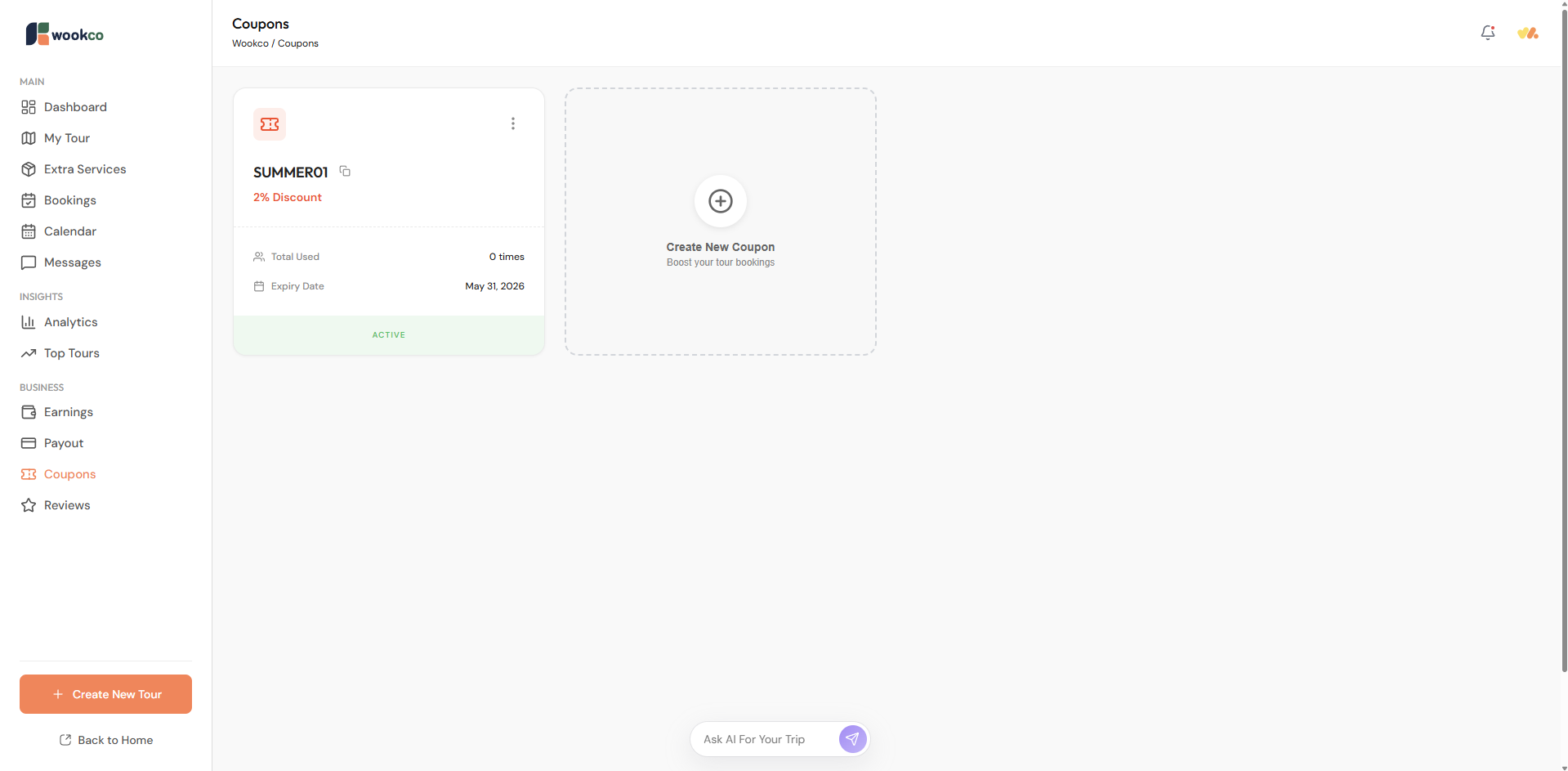
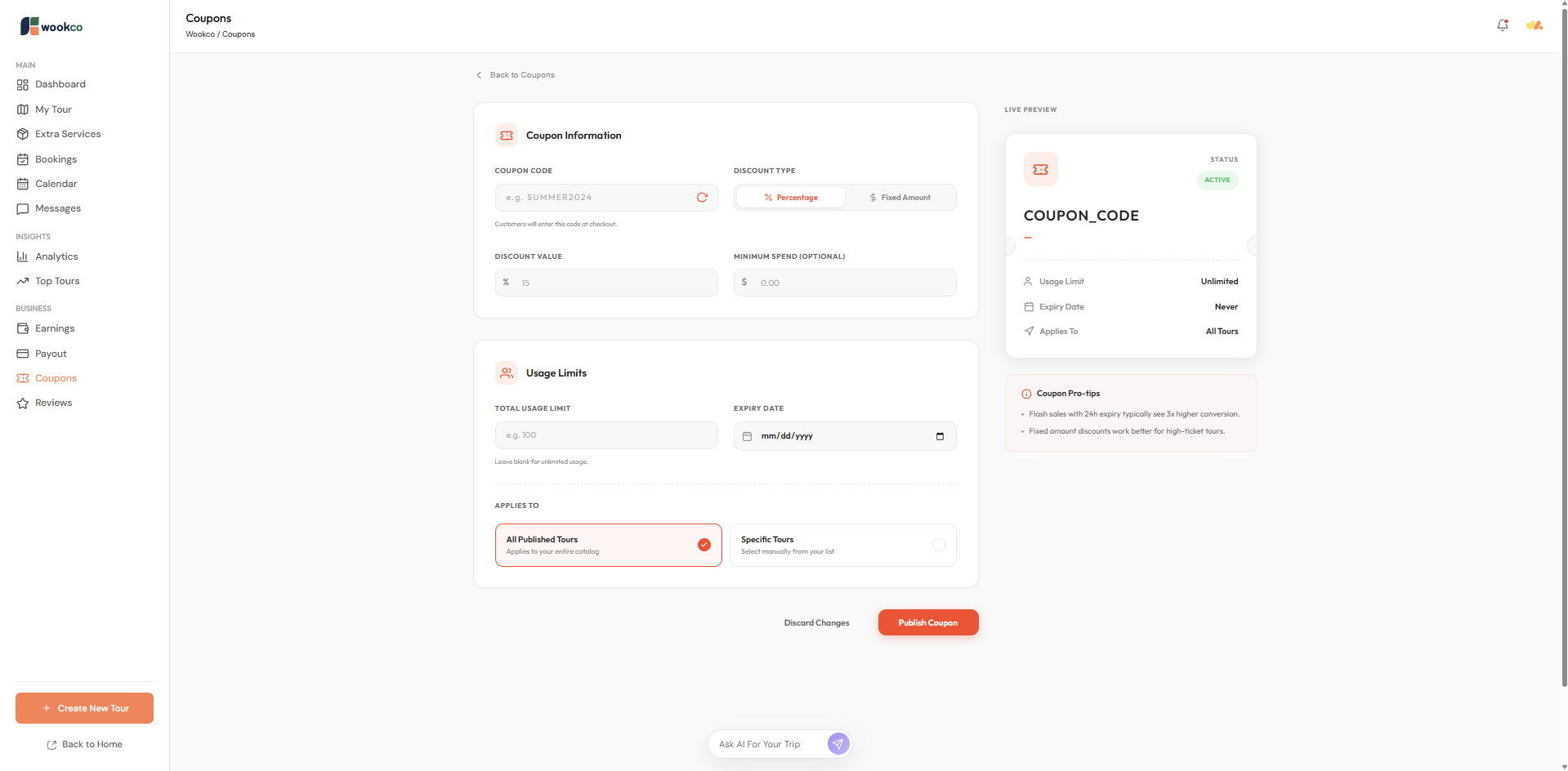
Coupons: Partner can be created and their names and discounts can be customized.
Create a coupon.
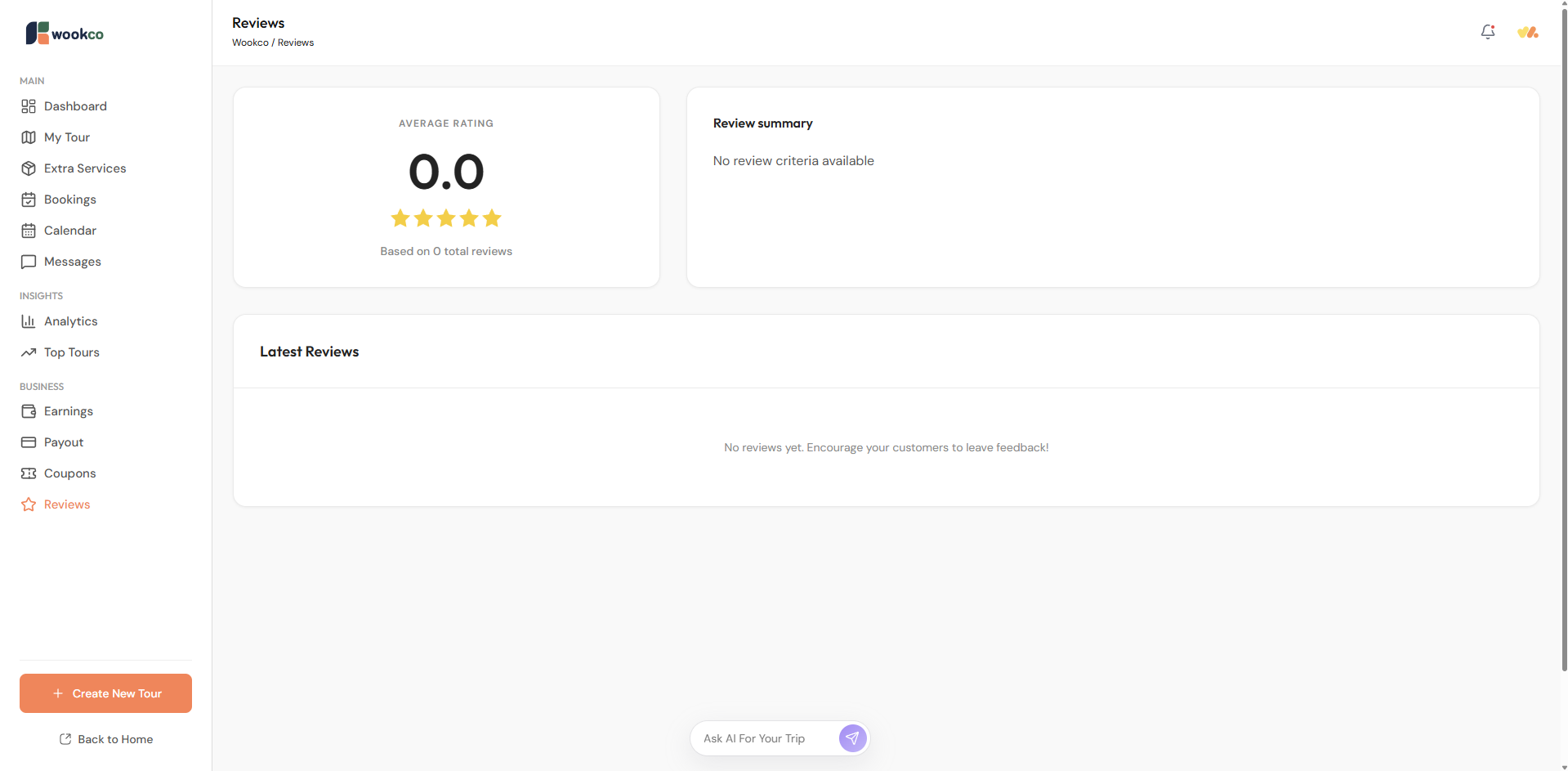
Reviews: page displays customer reviews, which will automatically be shown under the tour or activity that the customer reviewed.
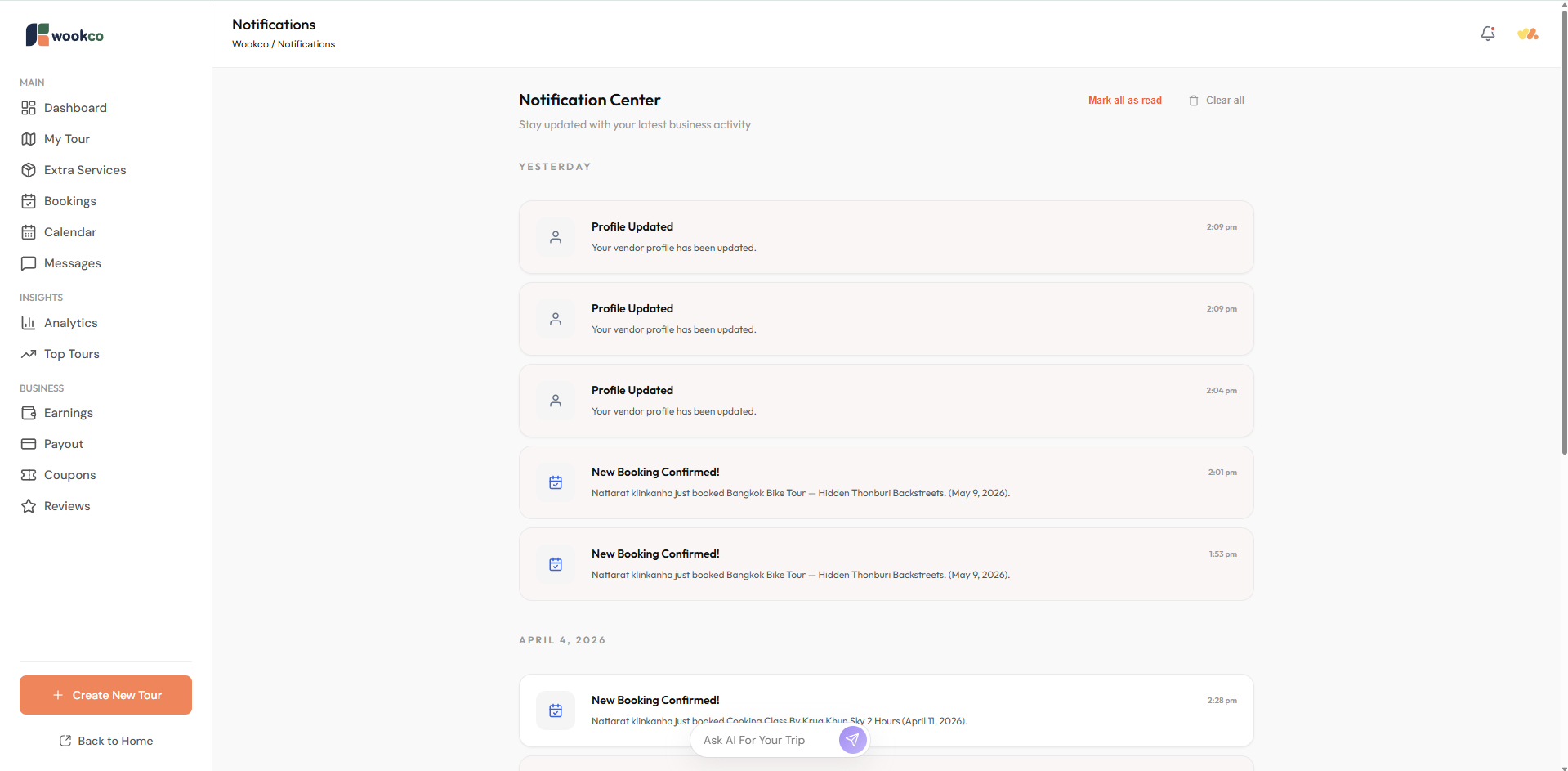
Notifications: Partners can check various notifications, such as personal information updates, tour information updates and corrections, booking notifications, or other related matters.
Settings for Account Partner
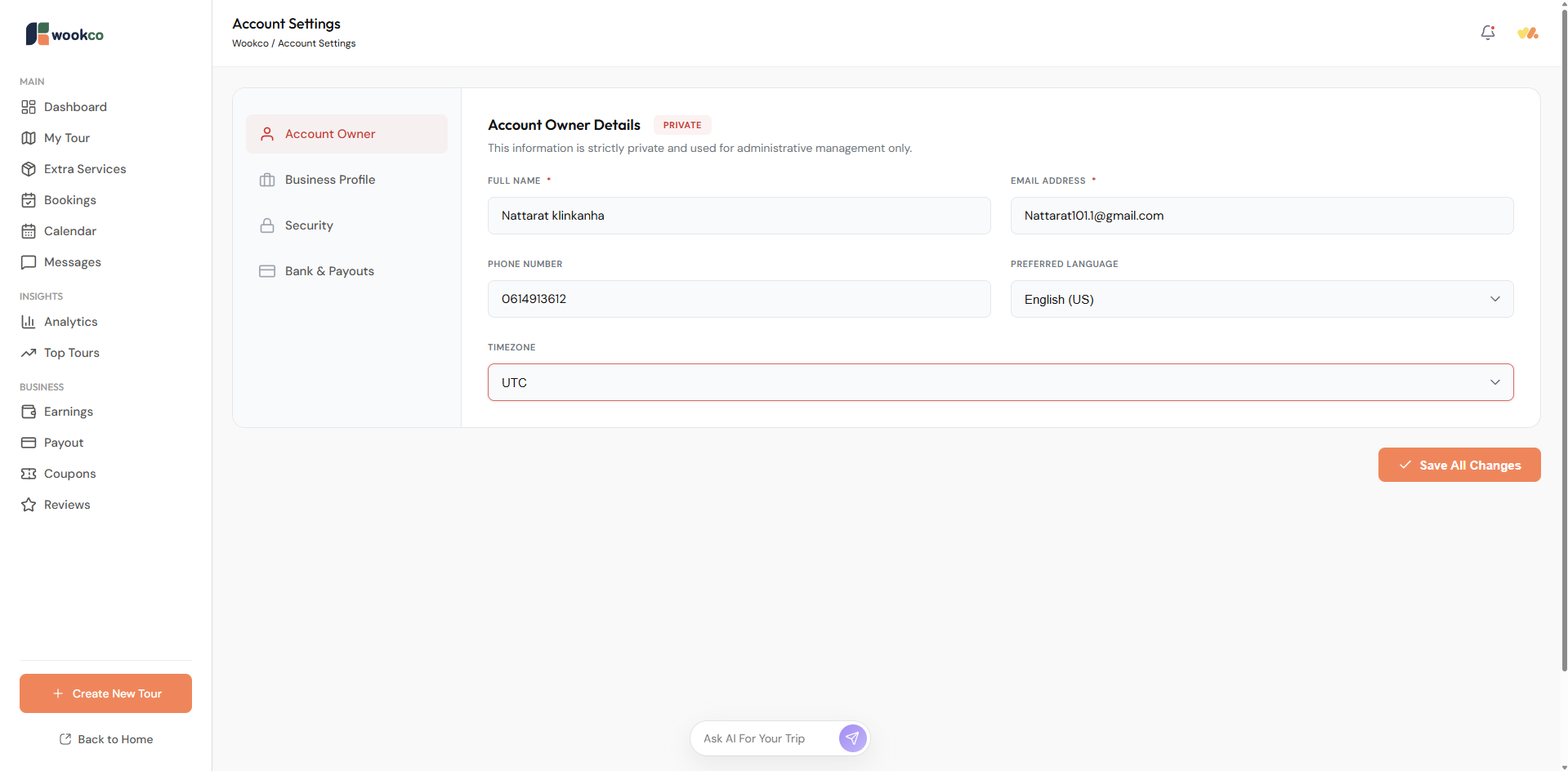
Account Owner Details: This section contains personal information. Partners can update their personal information, time zone, or preferred language. Please update the time zone to match your business address. Incorrect time zone settings may result in incorrect product display.
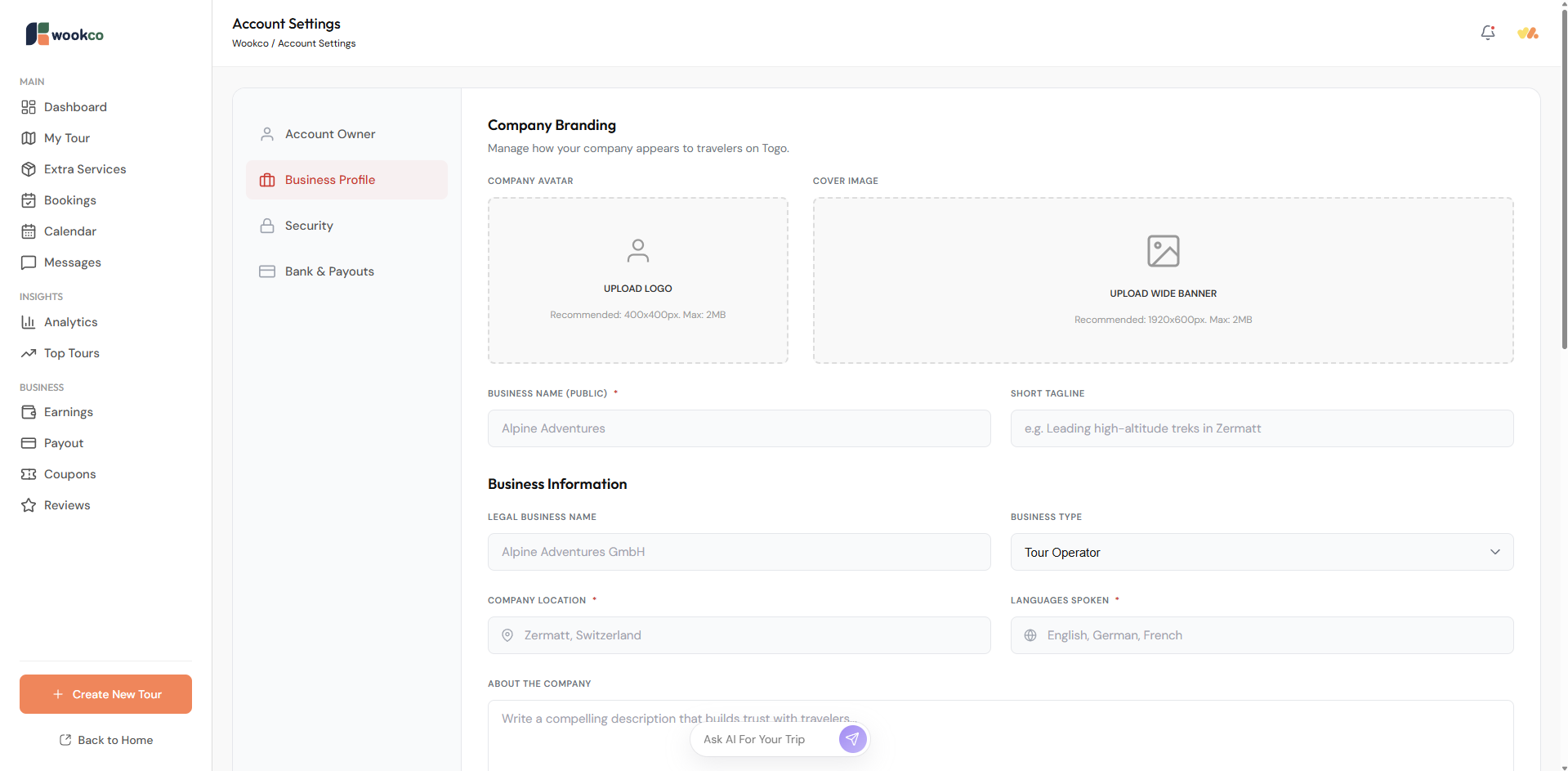
Business Profile Company Branding: Partners can add information about their business or services, and upload business documents such as business certificates, tour operator licenses, or other documents issued by government agencies in their area or country.
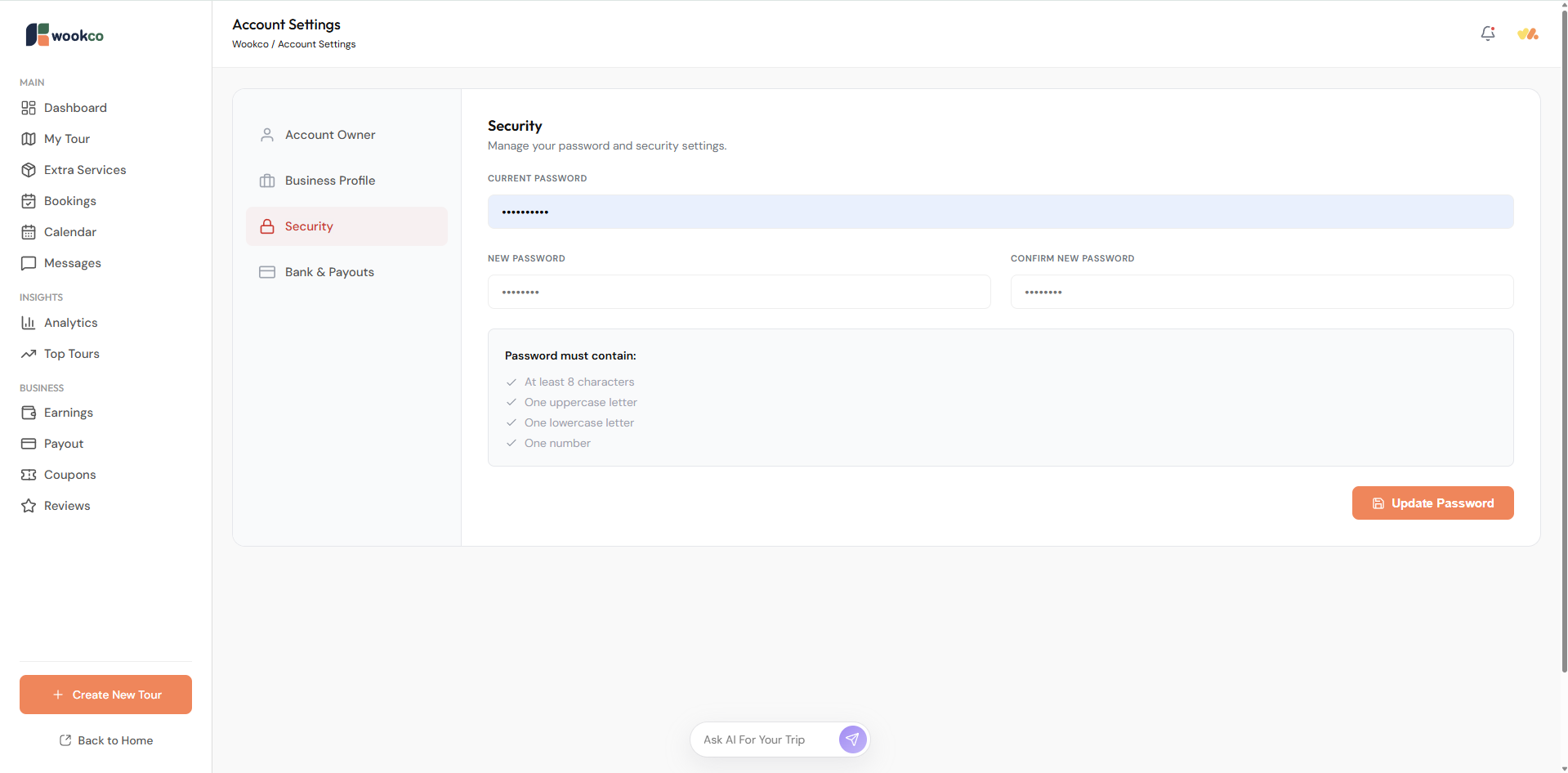
Security: Partners can update their passwords for added security. If you receive an account login notification that you did not perform, or if you are unable to access your account, please contact our customer service as soon as possible.
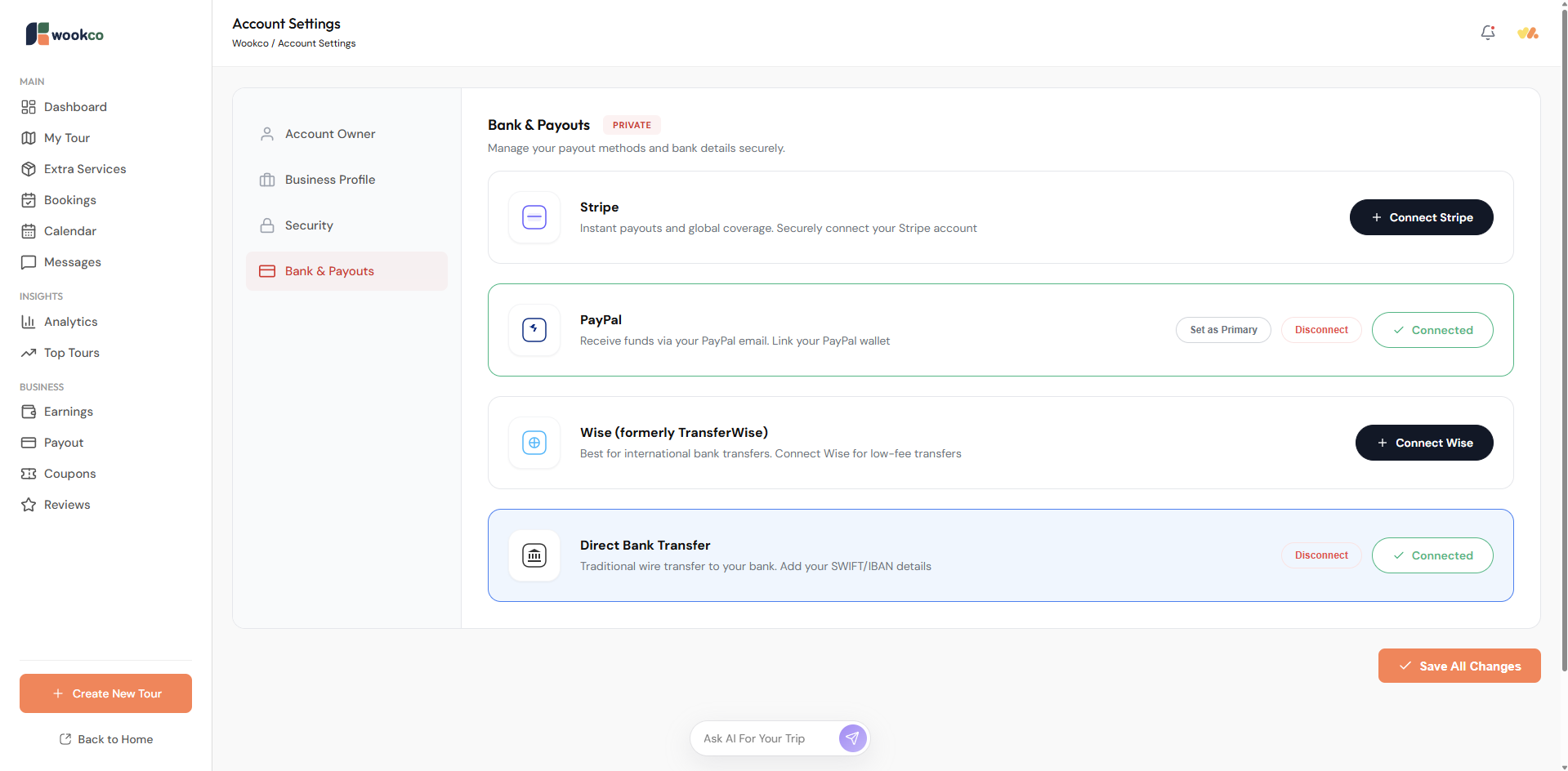
Bank & Payouts: Partners can set up accounts for receiving payments. We support the following financial services: Stripe, PayPal, Wise (formerly TransferWise), and Direct Bank Transfer. If you support multiple financial services, you can set one as primary by clicking “Set as Primary”.
If our partners encounter any difficulties setting up their business, please don’t hesitate to contact us. We have a team ready to support you and your business so that we can grow together, creating meaningful journeys while supporting communities and the environment under sustainability standards. You can contact us at email Support@wookco.com or WhatsApp Business +66 935 595 374.